Garage Door Keypad Programming Tutorial: Step-by-Step Guide
- William McKracherne
- Jun 19
- 4 min read

Got a garage door keypad that needs a new code? You’re in the right place. This guide walks you through every move, from tools to testing, so you can lock down access in minutes.
We’ll keep the steps short, the language plain, and the safety tips real. Let’s get the door talking.
Step 1: Gather Required Materials and Safety Gear
First, pull together a screwdriver, a ladder, the keypad’s user manual, and a fresh set of code cards. You’ll also need a flashlight if the opener’s light is dim.
Wear safety glasses and sturdy gloves , the opener’s metal can get sharp. A dust mask helps if you’re working near older insulation. DASMA’s safety guide stresses that proper gear cuts injuries in half.
Once you’ve got the basics, double‑check that the power to the opener is off. Most units have a pull‑out plug on the motor; unplug it to avoid any surprise starts.
Step 2: Locate the Keypad Programming Button
The programming button lives on the opener’s motor housing. Look for a small red or yellow push‑button near the back or side of the unit. Some models hide it behind a trim panel.
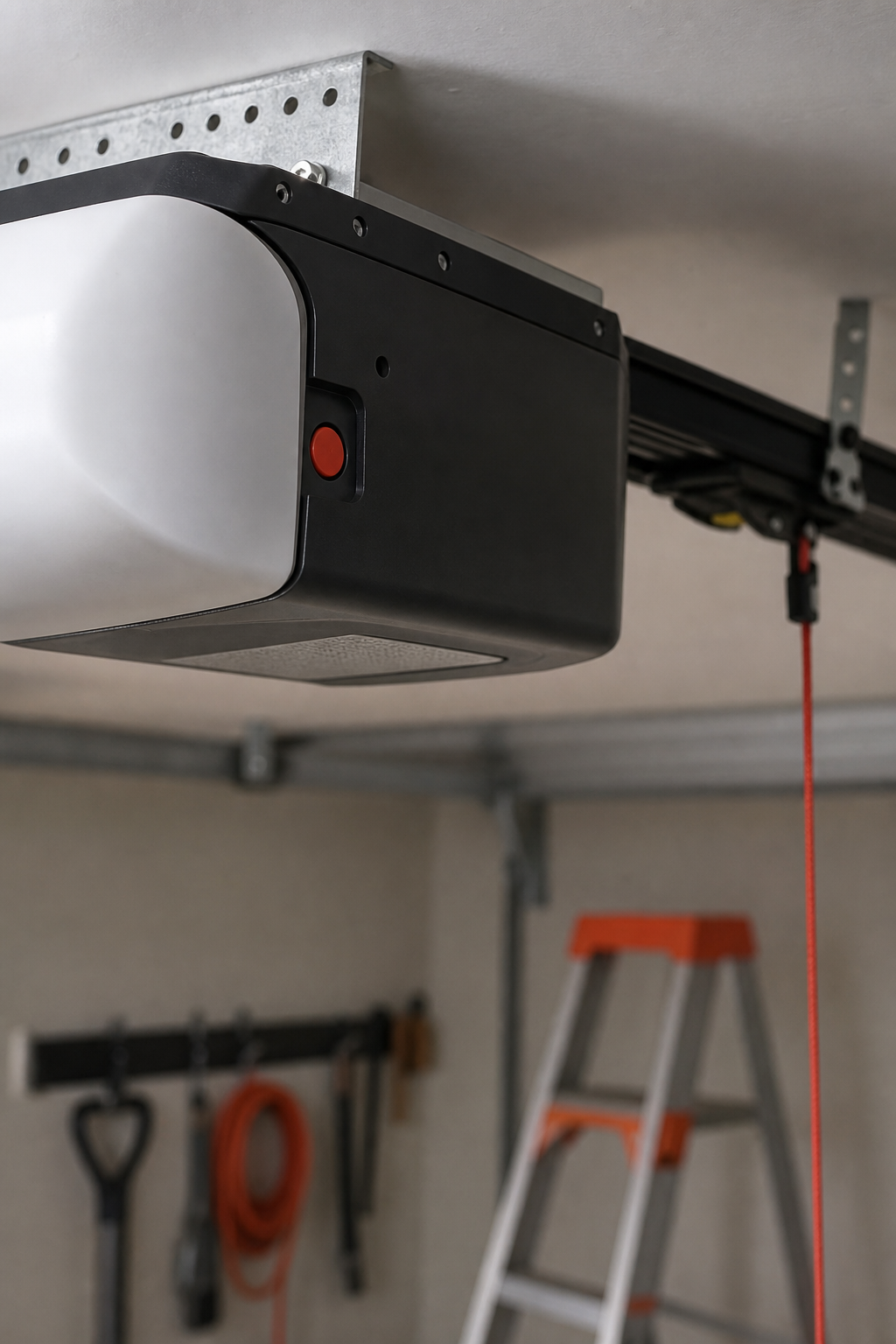
If you can’t spot it, the user manual usually has a diagram. When in doubt, a quick YouTube walk‑through shows exactly where to look on common brands.
Take a moment to note the button’s shape , a square press‑in versus a round tap can change how you hold it later.
Step 3: Enter Programming Mode (Video Demonstration)
Press and hold the programming button until the opener’s indicator light starts blinking. That blink means the unit is listening for a new code.
While the light blinks, you’ll hear a soft click from the motor , a cue that it’s ready. This video demo walks you through the exact timing for several popular models.
Pro Tip:If the light never blinks, double‑check that the opener is unplugged from power and that the button isn’t stuck.
When the light stops blinking, the unit is out of programming mode. You’ll need to repeat the press if the code entry fails.
Step 4: Set Up New Access Codes
Now that the opener is listening, type your new 4‑digit code on the keypad. Most keypads accept 3‑5 digits; pick something you’ll remember but isn’t obvious.
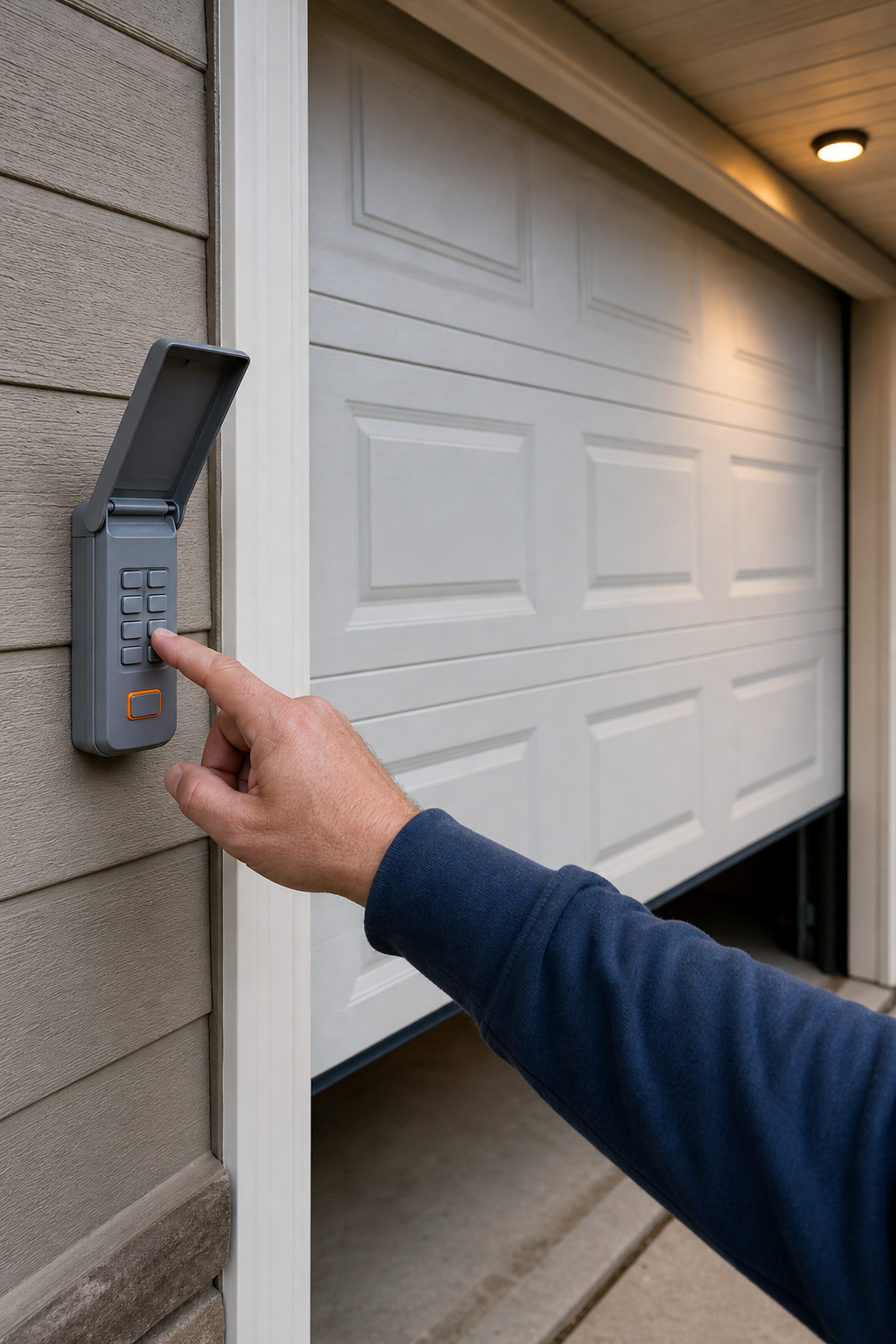
Press the “Enter” or “#” button to lock the code in. The opener’s light should flash twice to confirm the change.
The official Clopay guide notes that “entering a new code and holding the programming button until the light stops blinking saves the code” Clopay Door documentation. Follow that cue for your model.
Write the new code down in a safe place, then test it once before moving on.
Key Takeaway:Choose a code that isn’t your address or birth year, and keep a written copy for emergencies.
If you need help swapping out the keypad or wiring, LGFMH Construction can handle the installation safely.
Step 5: Test and Finalize the Programming (Includes Table)
Enter the new code on the keypad and press “Enter.” The door should open or close within a second.
If it doesn’t move, try these checks:
Issue | What to Do |
Light never blinked | Make sure the opener is unplugged, then press the button again. |
Code not accepted | Re‑enter the code, ensuring each digit is pressed firmly. |
Door stalls | Check the opener’s safety sensors for obstruction. |
Run the test three times to verify consistency. Consistent success means the programming is complete.
If any issue persists, the Ace Overhead safety checklist recommends inspecting the door’s balance and the sensor alignment before calling a pro.
When everything works, give the system a final glance. Make sure the keypad is snug and the wiring use is secured.
Need a qualified tech to double‑check the setup? LGFMH Construction’s garage door repair services can verify the code and tighten any loose connections.
FAQ
How do I know if my keypad is compatible with my garage door opener?
Check the opener’s model number against the keypad’s specifications. Most manufacturers list compatible models in the user manual or on their website.
Can I program multiple user codes on the same keypad?
Yes. Many keypads let you store 3‑5 different codes. Follow the same programming steps for each new code, remembering to test after each entry.
What should I do if the keypad stops responding after programming?
First, verify the power is still off and re‑press the programming button to re‑enter mode. If it still won’t respond, check the wiring connections and the battery (if the keypad is battery‑operated).
Is it safe to leave the garage door open while I’m programming?
No. Always keep the door closed during programming to avoid accidental movement. Unplug the opener to be extra safe.
How often should I change my garage door keypad code?
Change the code whenever someone who knows it leaves the house, after a service visit, or at least once a year for good security.
Ready to lock down your garage ? Follow these steps, test twice, and you’ll have a fresh code in minutes. If you hit a snag, call LGFMH Construction for a quick, professional fix.


Comments